At PlayTV, we believe creators deserve more ways to earn directly from their content. That’s why we’re excited to introduce Tipping — a simple, personal way for fans to show support and help creators monetize their videos.
Tipping gives fans a frictionless way to contribute and provides creators a way to earn on every piece of content they post — without needing ads or brand deals.
It’s about community-powered monetization. Whether it’s a funny burst, a deep take, or just a moment that made your day, you can now say thanks with more than a like.
Tipping allows users to send real money to creators as a form of appreciation. Every tip includes:
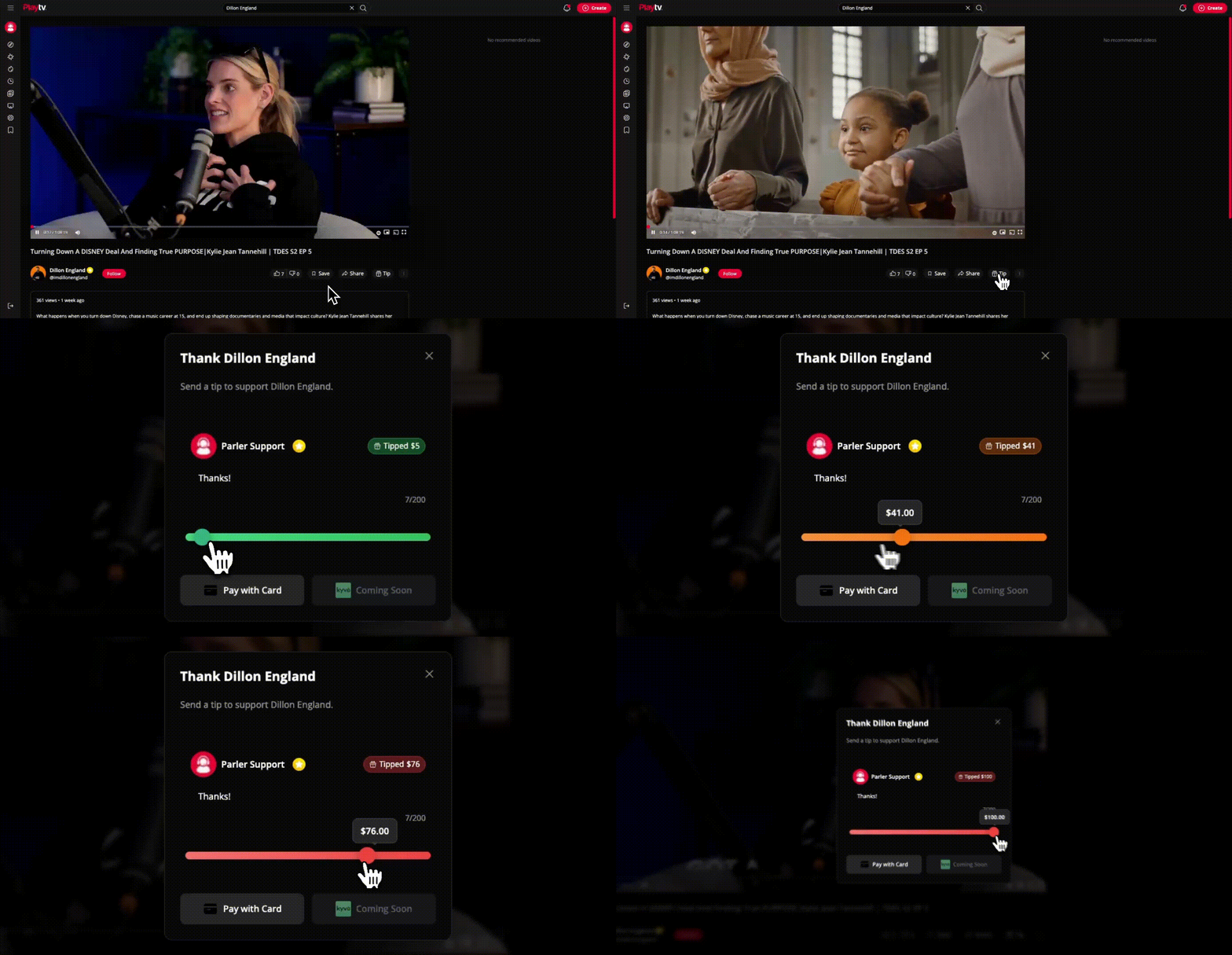

These tipped comments are visually highlighted and pinned to the top of the comment section — so creators and viewers see your support instantly.
Why it’s a win: Fans get to show real appreciation beyond likes, while creators can earn revenue on every piece of content they post.
Whether you’re on the app or web, tipping is fast and easy. Here’s how:
Why it’s a win: Fans can support creators in seconds, and creators gain a direct stream of income without needing ads or sponsorships.
To receive tips, you’ll need to connect a Stripe account to your profile.
💡 Once connected, your tips are tracked, and payouts are manually processed by the Parler team once you’ve reached the $25 minimum threshold. Earnings are deposited via Stripe.
Why it’s a win: Creators get a new, reliable revenue stream with clear tracking and fast payouts.
Why it’s a win: Clear terms, simple payouts, and total transparency make tipping easy for both fans and creators.
This release makes it easier than ever for fans to support their favorite creators directly and for creators to monetize every video they share. It’s a major step toward making PlayTV the best home for independent voices — not just to watch, but to create, earn, and connect.
We’re building this with our creators. If you have ideas, requests, or bugs to report, drop us a line. This is just the beginning of direct creator monetization on PlayTV!
Your voice matters here. Create, share, and connect with a global network that values authenticity over algorithms. This is your space to be real, be rewarded, and be heard—unmuted and unrestricted.